


Coloring Games: Color & Paint
4.41.06K Reviews
App Specs
- Version
- Varies with Device
- Updated On
- License
- Free
- Downloads
- 100,000,000+
- Developer
- RV AppStudios
- Categories
- Educational
- Platform
- Android, iOS
Screenshots

 Analysis by AppCompare
When I’m choosing a coloring app for a child or a quick creative break, I look beyond the number of pictures: I want to know whether the screen is understandable, whether small movements are frustrating, and whether the activity fits into an ordinary day. Coloring Games: Color & Paint makes a strong first impression as a simple digital coloring space, though its ease depends on the person using it and the device in their hands.
A simple starting point, with a few things to check
The first appeal is that the activity is immediately familiar. Instead of learning a complicated drawing program, you choose a page and add color. That makes the game approachable for young children, beginners, or anyone who wants a low-pressure creative task rather than a lesson in digital art. The screens are described as user-friendly, and the basic coloring idea is easy to explain: pick a design, choose a color, and start filling it in.
In my experience, a parent or caregiver can make the first session smoother by opening the app with the child and letting them explore one page together. That gives you a chance to show how to select a color, use the zoom control, and undo an accidental mark before the child is left to figure it out alone. After that, the familiar tap-and-color routine can support more independent play.
Guides and Analysis on Coloring Games: Color & Paint
There is a practical distinction between a child being able to start and being able to use every detail comfortably. Small icons, tiny page areas, and color choices can still be awkward for a young user or anyone who finds precise touch controls difficult. I would treat the first session as a quick usability check, not assume that a simple concept automatically makes every screen easy for every person.
Getting Started with Color
Jumping into Coloring Games: Color & Paint is as easy as pie. Once you download and open the app, you're greeted with a vibrant, user-friendly interface. It's almost like walking into an art studio where everything is neatly organized and ready for you to dive in.
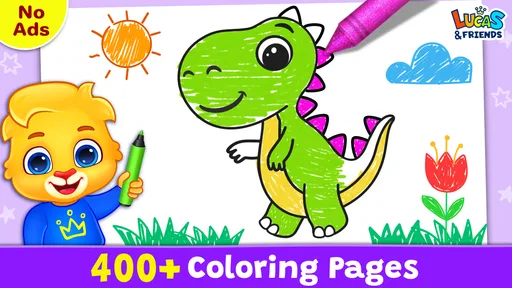
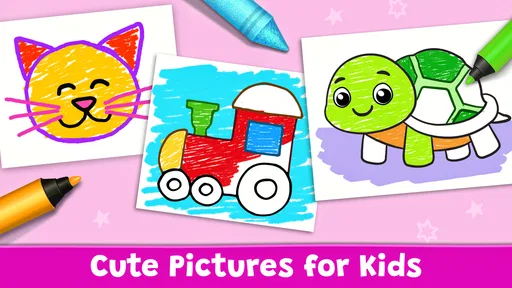
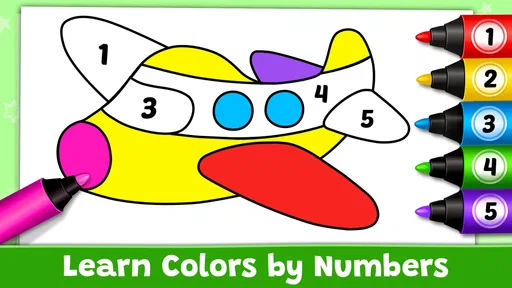
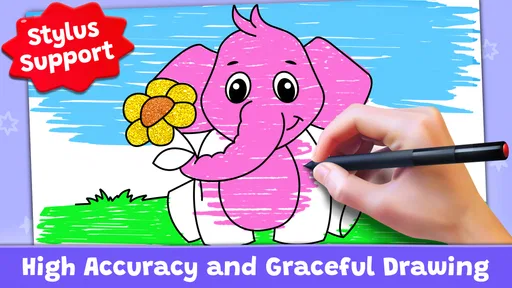
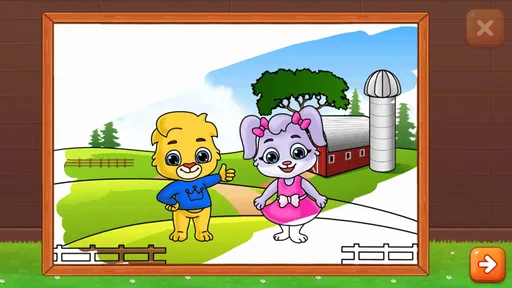
The app offers a delightful array of coloring pages, from intricate mandalas to adorable animals, and even some abstract designs that let your imagination run wild. It's like having a pocket-sized art gallery, and your only task is to fill it with color.
Readability, page choice, and navigation
The mix of designs matters because not every page asks for the same kind of attention. An animal picture with broad areas can be a comfortable place for a young child to begin, while an intricate mandala is better for someone who enjoys careful, sustained work. I’d choose the page to match the user’s patience and control rather than assume that the most detailed design is the most rewarding one.
Worth Reading Before You Choose

QuizzLand Review: A Good Fit for Short Trivia Breaks, Not Every Player

Basketball Stars: Multiplayer Is Fast, but Can It Recover When Matches Go Wrong?

WEBTOON Turns Phone Updates Into a Better Reading Routine

Link to Windows Runs on Shared Habits, Not Social Feeds

How Alibaba.com Dominates the B2B Marketplace

Metro's Quiet Rise: Redefining Mobile Communication
That choice also gives families a useful way to shape a session. A child who is still learning how touchscreens respond can start with a less crowded picture; an older child or adult can move to a denser design when they want a more focused activity. If a page feels fiddly, changing to a simpler one is a sensible adjustment, not a failure to finish.
For readability, I would pay attention to the actual device and viewing distance. A phone is handy for a short turn, but details naturally feel more cramped than they do on a larger screen. If someone is squinting or repeatedly tapping the wrong area, trying a bigger display or a simpler picture is likely to help more than asking them to concentrate harder.
Features That Keep You Hooked
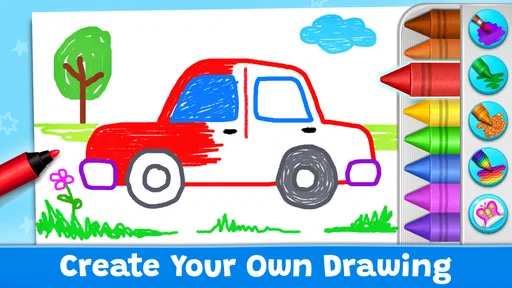
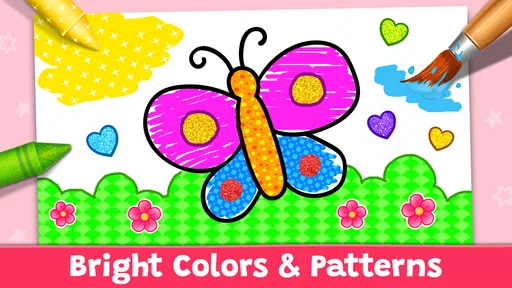
One of the coolest features is the color palette. You get a wide range of colors to choose from, and if you're feeling adventurous, mixing colors is a breeze. The app also provides a neat zoom-in option, so you can get those tiny details just right. It's like having a magnifying glass for your creativity.
Another feature that's worth mentioning is the "undo" button. Made a mistake? No worries, just tap undo and keep going. It's like having a magical eraser that makes sure your masterpiece stays perfect.
Touch control, pace, and sensory comfort
Zoom is most useful as a deliberate tool rather than something to keep toggling without a plan. I’d enlarge a detailed area, color it, then return to the full picture to check how the choices look together. This reduces the need for overly precise finger movement and helps a user who has trouble seeing small regions focus on one manageable part at a time.
Undo changes the emotional feel of the activity, too. When an accidental tap can be reversed, a child has more freedom to experiment and an adult can try an unexpected color without worrying about spoiling the page. A helpful habit is to treat undo as permission to explore, not just a way to repair mistakes. Still, it cannot make every touch target easier to reach, so users who need very large controls may find the interaction less comfortable than physical materials.
Coloring can be a quiet activity, but the best fit depends on the individual. Someone who enjoys choosing shades and filling shapes may find it calming; someone sensitive to bright screens or easily distracted by visual choices may prefer a short session and a simple design. I wouldn’t present it as a treatment or promise that it will relax everyone. It is simply a creative option that can feel restful when the person and setting suit it.
Where it fits into an ordinary day
A realistic use is a few minutes at home while dinner is being prepared: a child chooses an animal page, colors a broad section, and uses undo when a tap lands in the wrong place. A caregiver can stay nearby without having to provide a new sheet or gather crayons. For an adult, the same app can fill a short pause between tasks, especially when carrying a paper coloring book is inconvenient.
It is less suited to every setting. On a moving bus or in a crowded waiting room, holding a phone steady and making careful taps can be frustrating. A small screen also makes it harder for two people to color together than a large sheet of paper does. If the goal is shared conversation or a hands-on craft, traditional coloring may be the better choice; if the goal is a portable solo activity, the app has a clearer advantage.
Compared with a basic paper coloring book, this game offers convenient color selection, zooming, and an undo option without needing to carry art supplies. Compared with a full drawing app, its coloring-book approach is less demanding and more immediately directed, but it is not the choice I’d make for someone seeking detailed illustration tools or open-ended professional drawing. That trade-off is central: it keeps the activity approachable by focusing on coloring rather than trying to be a complete art studio.
Why You'll Love It
If you're anything like me, you appreciate an app that's not only fun but also relaxing. Coloring Games: Color & Paint hits the spot perfectly. Whether you're unwinding after a long day or just killing time, this app offers a mindful escape that lets you recharge in a creative way.
It's also a hit with kids. The app is super intuitive, making it easy for children to pick up and start coloring. It’s like a digital coloring book that never runs out of pages.
It is an educational game aimed at a broad audience, and RV AppStudios is the developer. The game is free and rated for Everyone, which makes it easy to consider for family use, though I’d still supervise a young child’s first session and check that the activity is appropriate for them. Its reach is substantial, with over 100 million installs, and its average rating is 4.5 from around 108,000 ratings. Those figures suggest that many people have tried it, but they don’t replace checking whether its controls and visual style work for your particular child.
When another option may work better
I would skip this one if the main goal is to teach formal drawing skills, create original artwork from a blank canvas, or practice with physical pencils and paper. A dedicated drawing tool is a better fit for freehand work, while a paper book may be more comfortable for someone who dislikes screens or needs a larger, tactile working area. It may also not suit a user who finds color selection or small touch targets tiring, even though zoom and undo can make coloring more forgiving.
For families deciding whether to try it, the practical questions are straightforward. The app is free, so there is no purchase price to weigh; it runs on Android devices with version 6.0 or later. It is also available in current version 1.9.0. I’d begin with a short supervised session, observe whether the child can move between choosing colors and filling shapes comfortably, and then decide whether it earns a place in the regular routine.
One useful way to keep the activity from becoming aimless is to set a small goal before starting: choose one page, pick a few colors, and finish one section. That gives a child a clear stopping point and makes the session easier to fit around other activities. If they want to continue, they can; if attention fades, the picture can wait. This flexible pace is more useful than treating completion as a requirement.
Final Thoughts
In a world that seems to move at lightning speed, it's nice to have something like Coloring Games: Color & Paint to help slow things down. Whether you're a seasoned artist or someone who just loves to color outside the lines, this app is a delightful way to indulge your creative side.
So, next time you find yourself with a few moments to spare, why not open up this app and let your creativity flow? It's not just about coloring; it's about finding a little slice of peace in your day.
An inclusive choice, with sensible limits
My overall recommendation is strongest for children and casual users who want a guided coloring activity, appreciate undo, and benefit from being able to zoom into a picture. Its simple premise lowers the barrier to starting, while the range from cute animals to detailed patterns gives different users room to choose a comfortable level of challenge. For a young child, an adult’s first look at the controls and page choices is still worthwhile.
The main limits are about fit, not a lack of creativity: precise tapping can be hard on a small screen, detailed designs may demand patience, and a digital page does not replace the feel or social ease of coloring together on paper. If those trade-offs suit your situation, this is a welcoming way to make a short creative pause more engaging. If they do not, a larger display, simpler page, drawing app, or traditional coloring book may serve you better.
Pros
- Wide variety of coloring pages.
- Easy-to-use interface for all ages.
- Offline mode available for convenience.
- Frequent updates with new content.
- Includes educational coloring options.
Cons
- Contains ads that can interrupt gameplay.
- Limited free features without purchase.
- Some colors locked behind paywall.
- Occasional lag on older devices.
- No option to save progress across devices.
FAQs for Coloring Games: Color & Paint
What features does Coloring Games: Color & Paint offer?
Coloring Games: Color & Paint provides a wide variety of coloring pages, including intricate designs and simpler images suitable for all ages. It offers multiple coloring tools like pencils, brushes, and fill options, as well as a vibrant color palette to choose from. Additionally, users can save and share their artwork directly from the app.
Is Coloring Games: Color & Paint suitable for children?
Yes, Coloring Games: Color & Paint is designed to be user-friendly for all ages, including children. The app features a simple interface and provides fun images that appeal to younger audiences. Parental controls and kid-friendly designs ensure a safe and enjoyable experience for children.
Are there any in-app purchases or ads in Coloring Games: Color & Paint?
While Coloring Games: Color & Paint is free to download, it does offer in-app purchases for additional coloring packs and tools. The app may also contain ads, which can be removed through a premium subscription. This allows users to enhance their experience while supporting the developers.
Can I use Coloring Games: Color & Paint offline?
Yes, Coloring Games: Color & Paint can be used offline once it’s downloaded. This feature is particularly useful for users who want to enjoy coloring on-the-go without worrying about internet connectivity. However, downloading new coloring packs or sharing artwork requires an internet connection.
How does Coloring Games: Color & Paint enhance creativity?
The app encourages creativity by offering a diverse range of images and a rich color palette for users to explore. It allows for experimentation with different tools and techniques, fostering artistic expression. Additionally, the app's calming nature can promote relaxation, making it an excellent tool for creative exploration.


